




Privacy & safety
Exporting or deleting your data
Take a copy of everything Myndo knows, or remove it entirely. Both live in your settings.
Everything Myndo knows about you is yours. You can take a copy of it, or remove it entirely, whenever you like. On iPhone and Android, both live under Settings → Privacy & security → Your data. On the web, you'll find them in your account settings.
Export your data
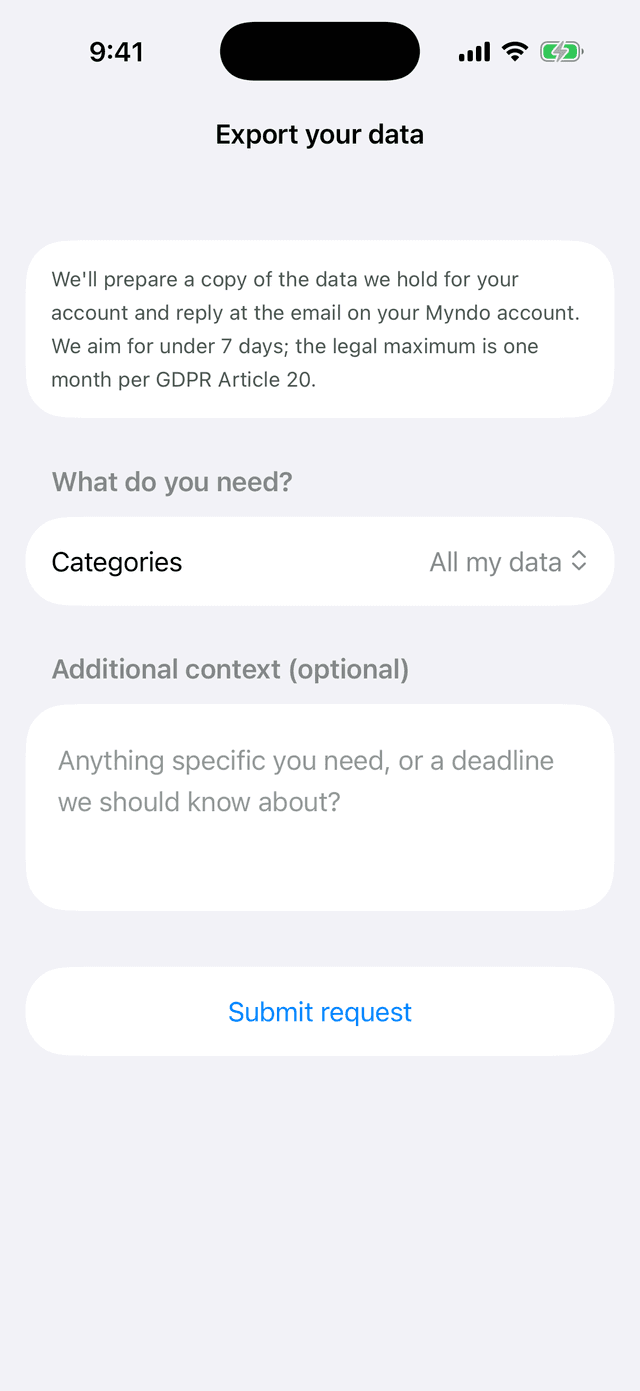
Ask for a copy and we'll put it together for you.
- Open Privacy & security → Your data.
- Choose Export your data.
- Tap Submit request.
We'll prepare your export and send it within 30 days, to the email on your account. If you have questions about an export, write to support@myndo.ai.
Delete your account
Deleting your account removes your conversations, your Self library, and your account itself. This can't be undone.
- Open Privacy & security → Your data.
- Choose Delete my account.
- Type DELETE to confirm, then confirm once more on the final screen.
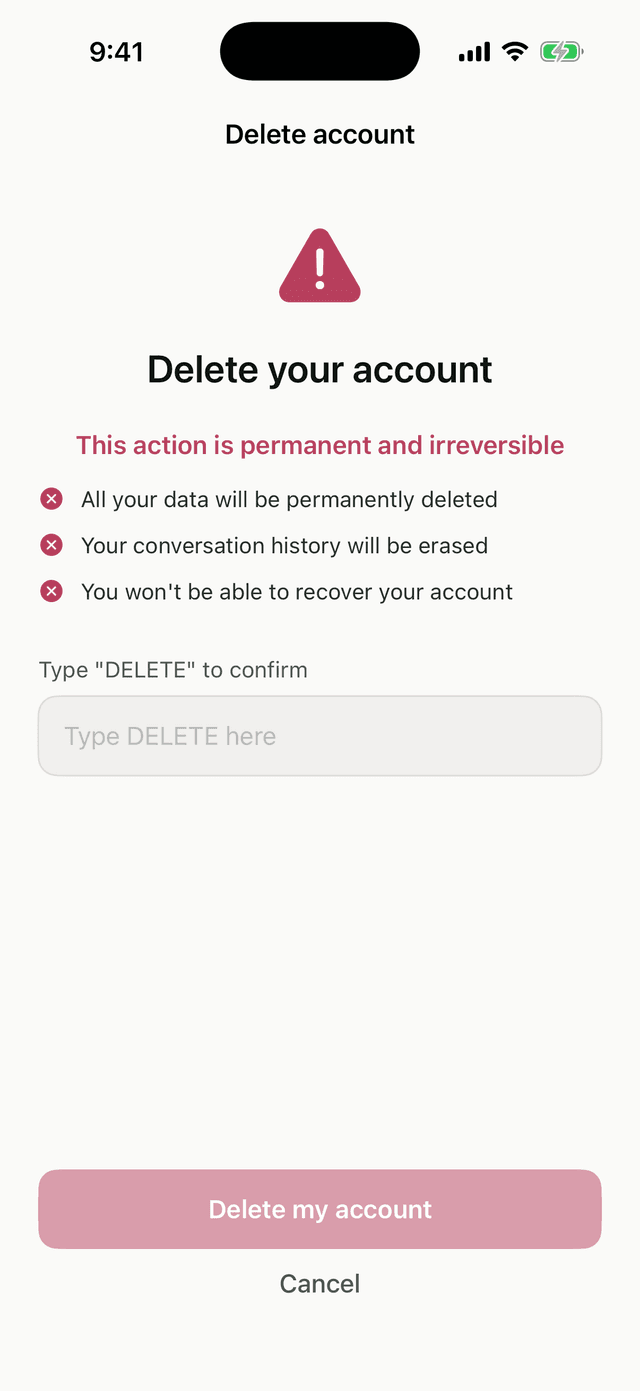
Once it's done, it's done. If you only want to remove part of your history, you can delete a single conversation's content instead. See Correcting or removing what Myndo remembers.