




Getting the most out of Myndo
Save and share your posters
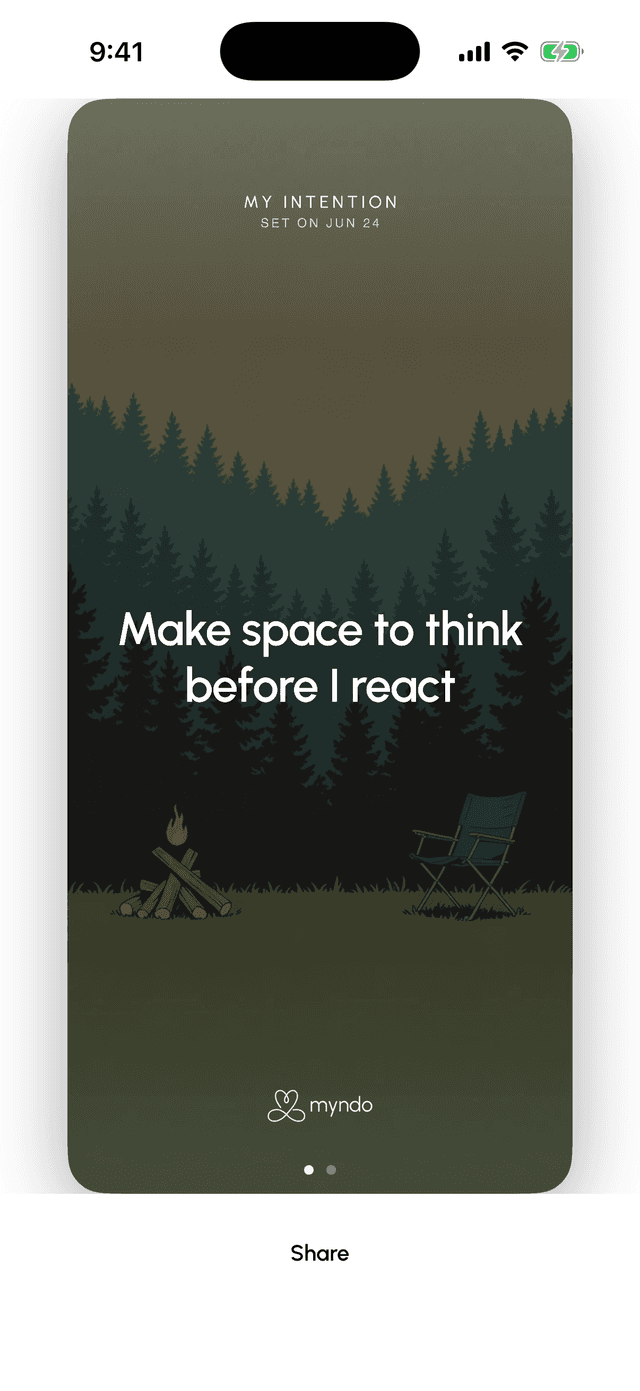
Turn your weekly intention, a line of your own, a goal or a practice into a poster. Share it, or make it your wallpaper to stay on track.
Myndo can turn something you said into a poster: your words, set large on your scene. It's a small way to keep what matters in front of you.
From your weekly review
At the end of your weekly review you'll get a poster of your intention for the week, or of a line you said in your own words.
Open your weekly review and tap See this week's posters. Swipe through the options, then tap Share.
From a goal or a practice
Posters aren't only for the week. Open the Self tab, tap a goal or a practice, and scroll down to Make a poster.
You'll get two versions of it: a tall one sized for your wallpaper, and a square one for sharing.
A few notes on when the button appears:
- Goals you're working on, have paused, or have reached. A goal you've let go of doesn't get one.
- Practices you've taken on. Something Myndo has only suggested doesn't get a poster until you say you'll try it, because the poster speaks in your voice, not ours.
Keep it where you'll see it
From the share sheet you can save the image, and that's where it earns its keep:
- Set it as your wallpaper. Lock screen or home screen, so it meets you every time you pick up your phone.
- Use it as a watch face, for an at-a-glance reminder through the day.
- Or share it with someone you'd like to keep you honest.
On Android there's a Set as wallpaper button right on the poster, so you can skip the share sheet.
Keep it in view another way
Prefer something that updates on its own? Add the Intention widget to your home screen. It always shows your current intention. See Add Myndo to your home screen and shortcuts.
Note: Posters are on iPhone and Android. They aren't part of the web app.